
MoonJs V1 Beta - Data and View Explained 2 minutes
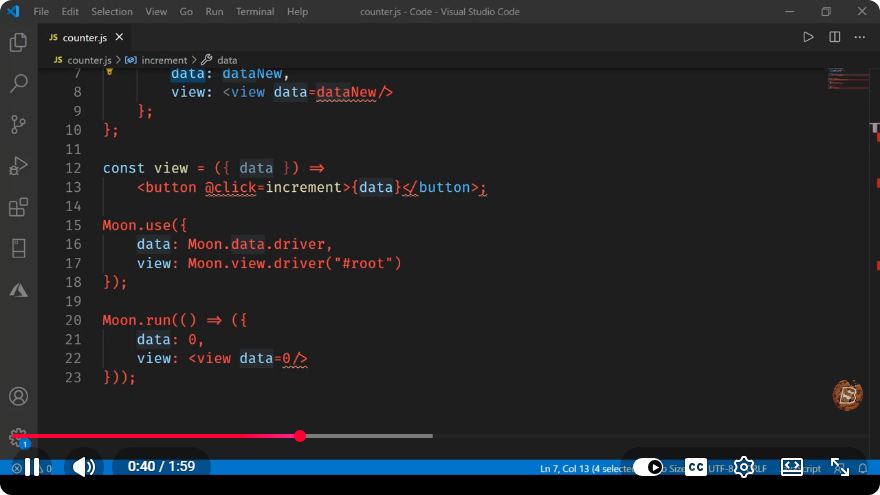
Understanding MoonJs V1 Beta: Data and View Explained
In the ever-evolving landscape of JavaScript frameworks, MoonJs has emerged as a lightweight yet powerful alternative for building interactive user interfaces. In this post, we'll delve into the key concepts of MoonJs V1 Beta, focusing on its data management and view rendering capabilities, as presented in the informative YouTube video "MoonJs V1 Beta - Data and View Explained".
What is MoonJs?
MoonJs is a minimalistic JavaScript library designed to create user interfaces with a reactive paradigm. It focuses on simplicity, making it an excellent choice for developers who want to build apps quickly without the overhead of larger frameworks. As of its V1 Beta release, MoonJs aims to provide a robust solution for managing state and rendering views efficiently.
Core Concepts of MoonJs
Data Management
At the heart of MoonJs is its data handling mechanism, which allows developers to define and manipulate application state easily. MoonJs uses a reactive data model, meaning that any changes to the data automatically update the view.
Defining Data
In MoonJs, data can be defined using the new Moon constructor. Here’s a simple example:
const app = new Moon({
    data: {
        message: "Hello, MoonJs!"
    }
});
In this snippet, we create a new instance of Moon with an initial data property named message. This property can be accessed and modified throughout the application.
Reactive Data Binding
MoonJs employs a reactive data binding system that automatically updates the UI when the underlying data changes. To bind data to the view, you can use the template syntax:
<div id="app">
    <p>{{ message }}</p>
</div>
When the message property is updated, the content of the <p> tag will automatically reflect this change.
Updating Data
Updating data in MoonJs is straightforward. You can modify the data properties directly:
app.set("message", "Hello, World!");
After executing this code, the view will re-render to display "Hello, World!" instead of "Hello, MoonJs!".
View Rendering
The view in MoonJs is defined using a straightforward templating syntax that allows for both static and dynamic content rendering.
Template Syntax
MoonJs supports interpolation, conditionals, and loops, which enables developers to create dynamic interfaces with ease. Here’s an example of a simple conditional rendering:
<div id="app">
    <p>{{ message }}</p>
    <p v-if="message === 'Hello, World!'">You have a new message!</p>
</div>
In this case, the second paragraph will only be displayed if the message is "Hello, World!".
Looping Through Data
You can also loop through data to render lists. For example, if you have an array of items, you can use the v-for directive:
const app = new Moon({
    data: {
        items: ["Item 1", "Item 2", "Item 3"]
    }
});
<ul>
    <li v-for="item in items">{{ item }}</li>
</ul>
This will render an unordered list with each item from the items array.
Conclusion
MoonJs V1 Beta offers developers a powerful yet simple way to manage data and render views in their applications. Its reactive data binding and intuitive templating syntax make it an excellent choice for anyone looking to create dynamic user interfaces without excessive complexity.
Whether you're building small projects or larger applications, MoonJs provides the tools you need to manage your application's state and present it effectively. As you explore MoonJs further, you'll discover even more capabilities that make it a compelling option in the JavaScript ecosystem.
For more insights and real-time coding demonstrations, be sure to check out the original video here. Happy coding!
Connect with SkillBakery Studios
Explore more tutorials, tools, and resources:
Posted by SkillBakery Studios


 Hello, my name is Jack Sparrow. I'm a 50 year old self-employed Pirate from the Caribbean.
No comments:
Post a Comment