
NextJs - React Framework - Accessing Static Content
Accessing Static Content in Next.js: A Comprehensive Guide
Next.js is a powerful React framework that streamlines the process of building server-rendered applications. One of its key features is the ability to serve static content efficiently. In this blog post, we will explore how to access static content in Next.js, making your development process smoother and your applications faster.
What is Static Content?
Static content refers to files that do not change dynamically and can be served directly to the client. This includes images, stylesheets, JavaScript files, and other assets. Serving static content efficiently is crucial for improving load times and user experience.
Why Use Next.js for Static Content?
Next.js simplifies the management of static assets for several reasons:
- Automatic Optimization: Next.js automatically optimizes static content for performance.
- File System Routing: It leverages the file system for routing, making it easy to serve static files.
- Built-in Support: Next.js comes with built-in support for static content, which means less configuration and more productivity.
Accessing Static Content in Next.js
Step 1: Setting Up Your Next.js Project
Before we dive into accessing static content, ensure you have a Next.js project set up. If you haven't created one yet, you can do so using the following command:
npx create-next-app my-next-app
cd my-next-app
Step 2: Organizing Static Files
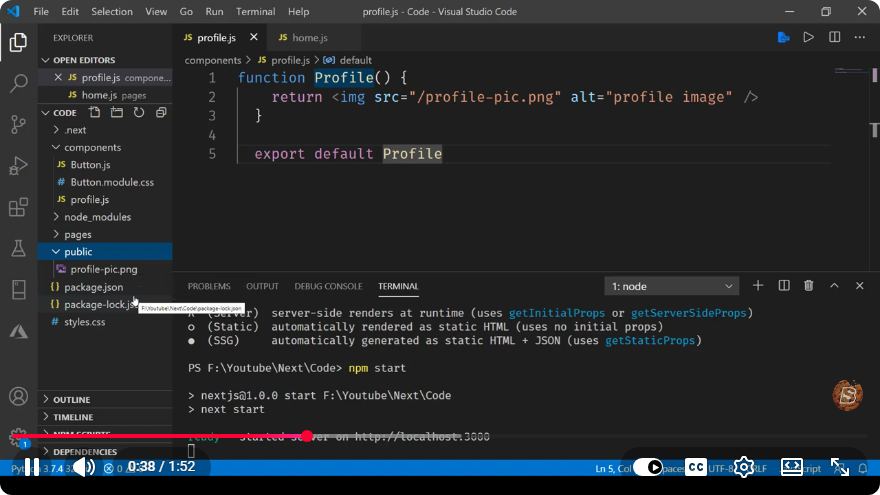
Next.js uses a special folder called public to serve static content. Any files placed in this directory will be accessible at the root of your application. For example, if you have an image named logo.png in the public folder, it can be accessed via http://localhost:3000/logo.png.
Here’s how to organize your project:
my-next-app/
├── public/
│   ├── images/
│   │   └── logo.png
│   └── styles/
│       └── main.css
├── pages/
│   └── index.js
└── ...
Step 3: Accessing Static Files in Your Components
To access static files in your Next.js components, you simply refer to them with the / prefix. Here’s a simple example of how to include an image and a stylesheet in your index.js file:
// pages/index.js
import Image from 'next/image';
import Head from 'next/head';

export default function Home() {
  return (
    <div>
      <Head>
        <link rel="stylesheet" href="/styles/main.css" />
      </Head>
      <h1>Welcome to My Next.js App</h1>
      <Image src="/images/logo.png" alt="Logo" width={500} height={500} />
    </div>
  );
}
Step 4: Running Your Next.js Application
To see your static content in action, start your Next.js application:
npm run dev
Navigate to http://localhost:3000 in your browser. You should see your heading and the logo image displayed properly.
Best Practices for Serving Static Content
- Optimize Images: Use Next.js’s Image component for automatic image optimization.
- Minify CSS and JS: Ensure your stylesheets and JavaScript files are minified to improve loading times.
- Caching: Leverage browser caching by setting appropriate cache headers for static content.
Conclusion
Accessing static content in Next.js is straightforward and highly efficient. By utilizing the public directory, you can serve images, stylesheets, and other static files with minimal configuration. This capability, combined with Next.js's built-in optimization features, makes it an excellent choice for modern web applications.
By following the steps outlined in this guide, you can enhance the performance of your Next.js applications while providing a smooth user experience. Happy coding!
Connect with SkillBakery Studios
Explore more tutorials, tools, and resources:
Posted by SkillBakery Studios


 Hello, my name is Jack Sparrow. I'm a 50 year old self-employed Pirate from the Caribbean.
No comments:
Post a Comment