
React - Learn how to create a Progressive Web App - Build and Serve Project
Building a Progressive Web App with React: A Quick Guide
In today’s digital landscape, Progressive Web Apps (PWAs) stand out for their ability to provide a seamless user experience across various devices. If you're looking to enhance your web development skills, creating a PWA using React is an excellent way to start. In this tutorial, we'll guide you through the process of building and serving a PWA in just a few simple steps.
What is a Progressive Web App?
Progressive Web Apps combine the best of web and mobile apps. They are designed to work on any platform that uses a standards-compliant browser. PWAs are reliable, fast, and engaging, and they offer features such as:
- Offline accessibility
- App-like experience
- Push notifications
- Installation on the home screen
Prerequisites
Before we dive into the code, ensure you have the following prerequisites:
- Node.js: Make sure you have Node.js installed on your machine. You can download it from nodejs.org.
- npm: Node Package Manager (comes bundled with Node.js).
- Basic knowledge of React: Familiarity with React components and hooks will be helpful.
Setting Up Your React Application
To get started, we will leverage Create React App, which simplifies the setup process for React applications.
Step 1: Create a New React App
Open your terminal and run the following command to create a new React app:
npx create-react-app my-pwa
Step 2: Navigate to Your Project Directory
Once the setup is complete, navigate into your project directory:
cd my-pwa
Step 3: Enable PWA Support
Create React App comes with an option to enable PWA capabilities. Open the src/index.js file, and you will find the following line:
serviceWorker.unregister();
Change it to:
serviceWorker.register();
This change will enable service workers, allowing your app to function offline and leverage caching.
Building Your PWA
Step 4: Customize Your App
Feel free to customize your src/App.js file. Here’s a simple example of what your app might look like:
import React from 'react';
import './App.css';

function App() {
  return (
    <div className="App">
      <header className="App-header">
        <h1>Welcome to My PWA</h1>
        <p>This is a Progressive Web App built with React!</p>
      </header>
    </div>
  );
}

export default App;
Step 5: Add a Web Manifest
To further enhance the PWA capabilities, you should add a web manifest. Create a manifest.json file in the public directory with the following content:
{
  "short_name": "MyPWA",
  "name": "My Progressive Web App",
  "icons": [
    {
      "src": "logo192.png",
      "sizes": "192x192",
      "type": "image/png"
    },
    {
      "src": "logo512.png",
      "sizes": "512x512",
      "type": "image/png"
    }
  ],
  "start_url": ".",
  "display": "standalone",
  "theme_color": "#ffffff",
  "background_color": "#ffffff"
}
Step 6: Update Your HTML
Make sure to link the manifest in your public/index.html:
<link rel="manifest" href="%PUBLIC_URL%/manifest.json" />
Step 7: Test Your PWA
You can test your PWA capabilities by running the following command in your terminal:
npm start
This will start the development server, and your app should be accessible at http://localhost:3000.
Building and Serving Your PWA
Once you are satisfied with your application, you can build it for production.
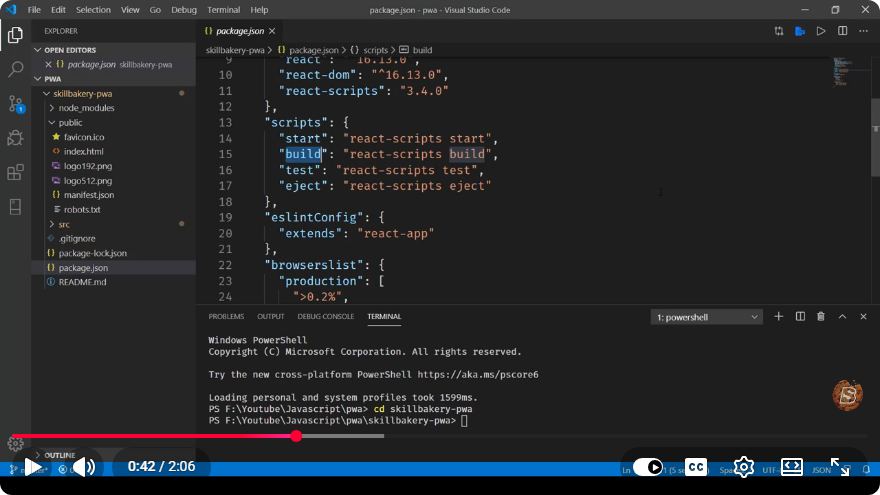
Step 8: Build Your App
Run the following command to generate the production build:
npm run build
This command creates a build directory containing optimized files.
Step 9: Serve Your App
To serve the production build, you can use a simple server like serve. Install it globally:
npm install -g serve
Then, navigate into the build directory and run:
serve -s build
Your PWA should now be available at http://localhost:3000.
Conclusion
Congratulations! You've just built and served a Progressive Web App using React. PWAs offer a robust solution for delivering high-quality web applications that are fast, reliable, and engaging. With the growing demand for mobile-first experiences, knowing how to create a PWA can significantly enhance your skill set as a web developer.
For further learning, consider exploring advanced PWA topics such as push notifications, caching strategies, and performance optimization. Happy coding!
Connect with SkillBakery Studios
Explore more tutorials, tools, and resources:
Posted by SkillBakery Studios


 Hello, my name is Jack Sparrow. I'm a 50 year old self-employed Pirate from the Caribbean.
No comments:
Post a Comment