
React - Learn how to create a Progressive Web Application - Using React Hooks
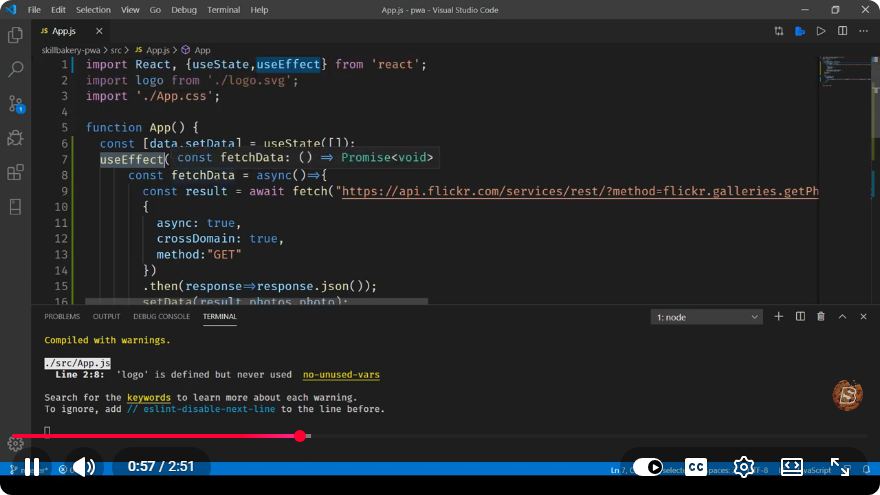
Building a Progressive Web Application with React Hooks
In recent years, Progressive Web Applications (PWAs) have gained immense popularity due to their ability to provide an app-like experience on the web. In this tutorial, we will explore how to create a simple PWA using React Hooks. This guide is based on the insights from the video "React - Learn how to create a Progressive Web Application - Using React Hooks" and will walk you through the essential steps to build your own PWA.
What is a Progressive Web Application?
A Progressive Web Application is a type of application software delivered through the web, built using common web technologies including HTML, CSS, and JavaScript. PWAs are designed to work on any platform that uses a standards-compliant browser and can provide a native app-like experience on mobile devices. Key features of PWAs include:
- Offline capabilities: PWAs can work offline or on low-quality networks.
- Responsive design: PWAs provide a seamless experience across different devices.
- App-like interface: PWAs resemble native apps, providing smooth navigation and interactions.
Prerequisites
Before we begin, ensure you have the following installed:
- Node.js (version 12 or above)
- npm or yarn (Node package managers)
- Basic understanding of React and JavaScript
Setting Up Your React Application
To start, we’ll create a new React application using Create React App, which has built-in support for building PWAs.
Step 1: Create a New React App
Open your terminal and run the following command:
npx create-react-app my-pwa
cd my-pwa
Step 2: Enable PWA Support
Once your application is created, open the src/index.js file and make the following changes:
- Import the service worker:
import * as serviceWorkerRegistration from './serviceWorkerRegistration';
- Register the service worker by replacing the
serviceWorker.unregister()line with:
serviceWorkerRegistration.register();
Your src/index.js should now look like this:
import React from 'react';
import ReactDOM from 'react-dom';
import './index.css';
import App from './App';
import * as serviceWorkerRegistration from './serviceWorkerRegistration';

ReactDOM.render(
  <React.StrictMode>
    <App />
  </React.StrictMode>,
  document.getElementById('root')
);

serviceWorkerRegistration.register();
Step 3: Modify the manifest.json
The manifest.json file provides metadata about your PWA. Open public/manifest.json and update it with your app’s details:
{
  "short_name": "MyPWA",
  "name": "My Progressive Web App",
  "icons": [
    {
      "src": "icon-192x192.png",
      "sizes": "192x192",
      "type": "image/png"
    },
    {
      "src": "icon-512x512.png",
      "sizes": "512x512",
      "type": "image/png"
    }
  ],
  "start_url": ".",
  "display": "standalone",
  "theme_color": "#000000",
  "background_color": "#ffffff"
}
Step 4: Create a Basic Component with Hooks
Now let’s create a simple component that fetches data from an API and displays it. Create a new file called DataFetcher.js in the src directory:
import React, { useState, useEffect } from 'react';

const DataFetcher = () => {
  const [data, setData] = useState([]);
  const [loading, setLoading] = useState(true);

  useEffect(() => {
    fetch('https://jsonplaceholder.typicode.com/posts')
      .then(response => response.json())
      .then(json => {
        setData(json);
        setLoading(false);
      });
  }, []);

  if (loading) {
    return <div>Loading...</div>;
  }

  return (
    <ul>
      {data.map(item => (
        <li key={item.id}>{item.title}</li>
      ))}
    </ul>
  );
};

export default DataFetcher;
Step 5: Include the Component in Your App
Open src/App.js and include the DataFetcher component:
import React from 'react';
import DataFetcher from './DataFetcher';

function App() {
  return (
    <div className="App">
      <h1>My Progressive Web App</h1>
      <DataFetcher />
    </div>
  );
}

export default App;
Testing Your PWA
To test your PWA, run the following command in your terminal:
npm start
After the application starts, open your browser and navigate to http://localhost:3000. You should see your app with a list of posts being fetched from the API.
Step 6: Test Offline Capability
To test the offline capabilities of your PWA:
- Open the Chrome DevTools (F12).
- Go to the "Application" tab.
- Under "Service Workers," check "Offline."
- Refresh the page and observe how it behaves offline.
Conclusion
Congratulations! You have successfully created a simple Progressive Web Application using React Hooks. This guide covered the fundamental steps, including setting up a service worker, creating a manifest file, and using React Hooks to fetch data.
PWAs provide a powerful way to deliver an engaging user experience, and with React, you can leverage modern web capabilities to build dynamic applications. Explore more features and enhance your PWA further by implementing routing, caching strategies, and more!
For more insights, feel free to check out the original video here. Happy coding!
Connect with SkillBakery Studios
Explore more tutorials, tools, and resources:
Posted by SkillBakery Studios


 Hello, my name is Jack Sparrow. I'm a 50 year old self-employed Pirate from the Caribbean.
No comments:
Post a Comment