
React-Native: Install React Native on MAC
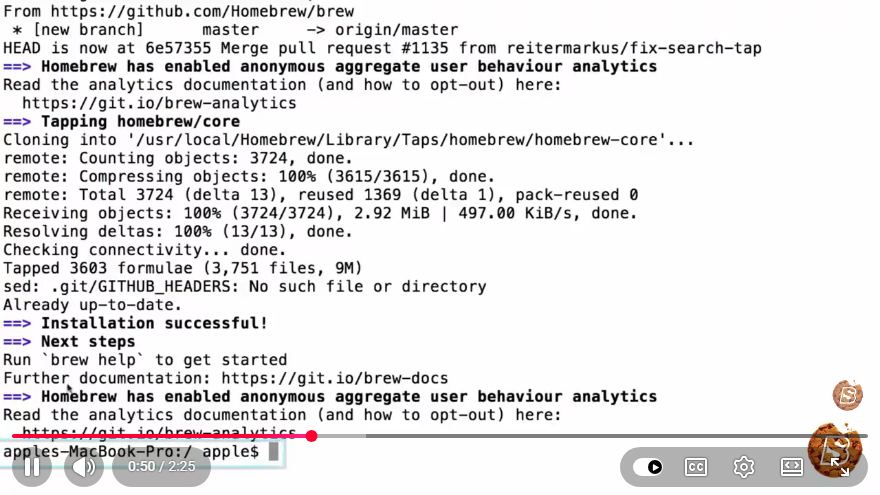
How to Install React Native on macOS in Just 2 Minutes
React Native is a powerful framework developed by Facebook that allows developers to create mobile applications using JavaScript and React. If you're using macOS and want to get started with React Native, you’ve come to the right place. This tutorial will guide you through the installation process in just a few simple steps.
Prerequisites
Before we start the installation, ensure that you have the following installed on your macOS:
Node.js: React Native relies on Node.js to run JavaScript code. You can check if you have Node.js installed by running the following command in your terminal:
node -vWatchman: This is a tool developed by Facebook for watching changes in the filesystem. You can install it via Homebrew:
brew install watchmanXcode: Required for iOS development. You can download it from the Mac App Store. After installation, make sure to open Xcode and agree to the license agreement.
Step-by-Step Installation
Step 1: Install React Native CLI
Open your terminal and install the React Native command-line interface (CLI) using npm (Node Package Manager):
npm install -g react-native-cli
This command installs the React Native CLI globally on your system, allowing you to create and manage React Native projects easily.
Step 2: Create a New React Native Project
Once the CLI is installed, you can create a new React Native project. Replace MyNewProject with your desired project name:
npx react-native init MyNewProject
This command will scaffold a new React Native project with all the necessary files and folders.
Step 3: Navigate to Your Project Directory
After creation, navigate to the project directory:
cd MyNewProject
Step 4: Run the Application
To run your new React Native application on iOS, ensure you have an iOS simulator installed via Xcode. Then, use the following command:
npx react-native run-ios
This command compiles your application and launches it in the iOS simulator. If everything is set up correctly, you should see your new React Native app running!
Troubleshooting Common Issues
Here are some common issues and their solutions:
Xcode Errors: Ensure that you have installed all the required components from Xcode. You may need to open Xcode and accept the license agreement or install additional components.
Node Version Issues: Sometimes, specific versions of React Native may not work with certain Node.js versions. If you encounter issues, consider using a version manager like
nvmto switch Node.js versions.Dependencies Not Found: If you face issues running your app due to missing dependencies, run the following command to install the required modules:
npm install
Conclusion
Congratulations! You've successfully installed React Native on your macOS and created your first project in just a few minutes. With React Native, you can now start building powerful mobile applications for both iOS and Android using JavaScript and React.
For more resources and information on React Native, consider checking out the official React Native documentation.
Happy coding!
Connect with SkillBakery Studios
Explore more tutorials, tools, and resources:
Posted by SkillBakery Studios


 Hello, my name is Jack Sparrow. I'm a 50 year old self-employed Pirate from the Caribbean.
No comments:
Post a Comment