
ReactJS: Introduction to Flux - Web Development
Introduction to Flux in ReactJS
In the realm of modern web development, managing state efficiently has become a critical aspect of building scalable applications. One of the architectural patterns that help in this regard is Flux, a design pattern developed by Facebook. This blog post will provide a detailed introduction to Flux, its key concepts, and how it integrates with ReactJS to create robust applications.
What is Flux?
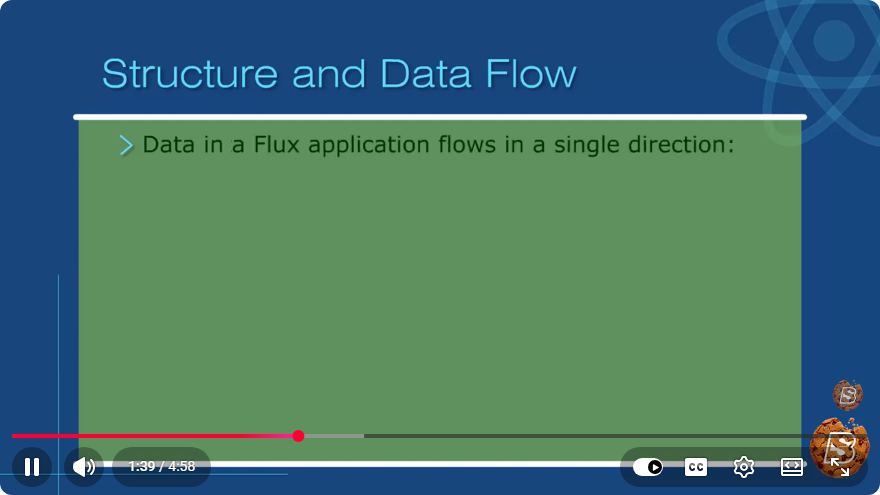
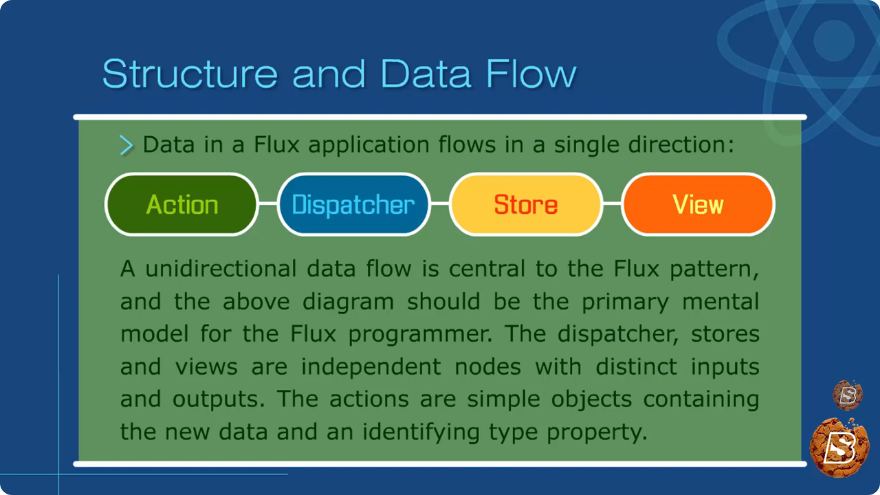
Flux is an application architecture that was created to address challenges related to data flow in large applications. It promotes a unidirectional data flow, which can help simplify the management of state across an application. Unlike traditional MVC (Model-View-Controller) patterns, where data can flow in multiple directions, Flux ensures that data changes propagate in one direction, making it easier to understand and debug.
Key Concepts of Flux
Flux is built around four core components: Actions, Dispatcher, Stores, and Views. Let’s take a closer look at each of these components.
1. Actions
Actions are simple JavaScript objects that represent an event or a user interaction that has occurred in your application. Each action has a type and may include additional data that is necessary for processing the event.
const ADD_TODO = 'ADD_TODO';

const addTodoAction = (text) => {
    return {
        type: ADD_TODO,
        payload: {
            text
        }
    };
};
2. Dispatcher
The Dispatcher is a central hub that manages all data flow within the Flux application. It receives actions and forwards them to the appropriate stores. This is where the unidirectional data flow is enforced.
import { Dispatcher } from 'flux';

const AppDispatcher = new Dispatcher();

AppDispatcher.register((action) => {
    switch (action.type) {
        case ADD_TODO:
            // handle the action
            break;
        // other cases...
    }
});
3. Stores
Stores hold the application state and respond to actions dispatched by the Dispatcher. They are responsible for maintaining the data and notifying views when changes occur. Stores can be thought of as models in the MVC architecture.
import { EventEmitter } from 'events';

class TodoStore extends EventEmitter {
    constructor() {
        super();
        this.todos = [];
    }

    addTodo(text) {
        this.todos.push(text);
        this.emit('change'); // Notify views of the change
    }

    getAll() {
        return this.todos;
    }
}

const todoStore = new TodoStore();
4. Views
Views are the React components that render the UI. They listen for changes in the stores and re-render when the data they depend on changes. The views can dispatch actions in response to user interactions.
import React, { useEffect, useState } from 'react';
import { todoStore } from './TodoStore';
import { addTodoAction } from './TodoActions';

const TodoApp = () => {
    const [todos, setTodos] = useState(todoStore.getAll());

    useEffect(() => {
        const handleChange = () => {
            setTodos(todoStore.getAll());
        };

        todoStore.on('change', handleChange);

        return () => {
            todoStore.removeListener('change', handleChange);
        };
    }, []);

    const handleAddTodo = (text) => {
        addTodoAction(text);
    };

    return (
        <div>
            <h1>Todo List</h1>
            <ul>
                {todos.map((todo, index) => (
                    <li key={index}>{todo}</li>
                ))}
            </ul>
            <button onClick={() => handleAddTodo('New Todo')}>Add Todo</button>
        </div>
    );
};

export default TodoApp;
Advantages of Using Flux
- Predictable State Management: The unidirectional flow of data makes the application’s state predictable, making debugging easier.
- Separation of Concerns: By separating actions, dispatcher, stores, and views, the codebase remains modular and easier to maintain.
- Scalability: Flux is designed for large applications, making it easier to scale and manage complex interactions.
Conclusion
Flux is a powerful architecture for managing state in React applications. By enforcing a unidirectional data flow, it provides a clear structure that helps developers build scalable applications. As you dive deeper into React, understanding Flux will enhance your ability to manage state effectively and build robust web applications.
For further learning, consider exploring libraries like Redux, which is inspired by Flux and provides a more streamlined approach to state management in React applications. Happy coding!
Connect with SkillBakery Studios
Explore more tutorials, tools, and resources:
Posted by SkillBakery Studios


 Hello, my name is Jack Sparrow. I'm a 50 year old self-employed Pirate from the Caribbean.
No comments:
Post a Comment