
Unleashing the Power of HTML 5: Retrieving and Displaying Records from WebSQL Database
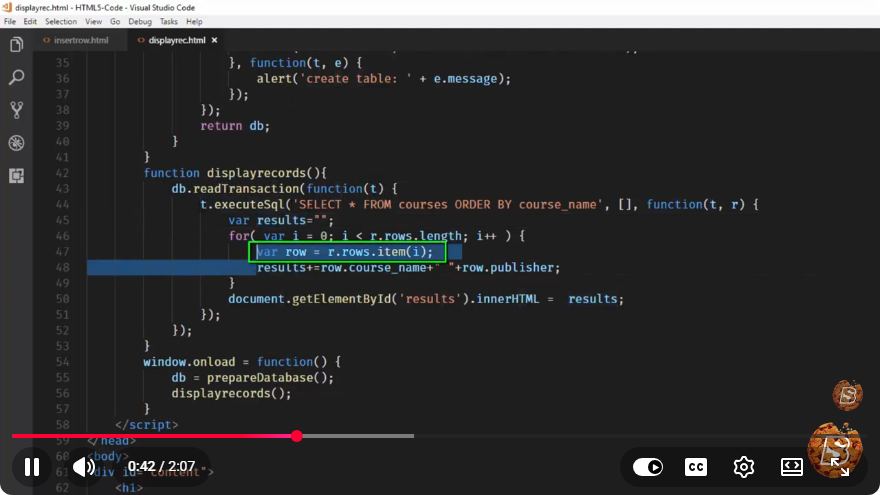
Unleashing the Power of HTML5: Retrieving and Displaying Records from WebSQL Database
In the world of web development, HTML5 has introduced powerful features that enhance the capabilities of web applications. One such feature is the WebSQL database, which allows developers to store and retrieve structured data on the client side. In this blog post, we'll explore how to retrieve and display records from a WebSQL database using HTML5.
What is WebSQL?
WebSQL is a web API that provides a storage mechanism for client-side data. It allows developers to use SQL-like queries to create, read, update, and delete data in a local database. While WebSQL is now deprecated and not supported in all browsers (notably unsupported in Firefox), it remains a useful tool for learning about client-side databases.
Getting Started
Setting Up Your Environment
To follow along with this tutorial, you will need:
- A modern web browser (Chrome or Safari recommended)
- A simple text editor or an Integrated Development Environment (IDE)
Creating a WebSQL Database
First, let's create a WebSQL database and a table to store our records. We will use a simple example where we store user information.
// Open or create a database
var db = openDatabase('mydb', '1.0', 'Test Database', 2 * 1024 * 1024);

// Create a table
db.transaction(function(tx) {
    tx.executeSql('CREATE TABLE IF NOT EXISTS users (id INTEGER PRIMARY KEY, name TEXT, email TEXT)');
});
This code snippet initializes a database named mydb and creates a users table with three fields: id, name, and email.
Inserting Sample Data
Before we can retrieve data, we should insert some sample records into our database.
// Insert sample data
db.transaction(function(tx) {
    tx.executeSql('INSERT INTO users (name, email) VALUES (?, ?)', ['John Doe', 'john@example.com']);
    tx.executeSql('INSERT INTO users (name, email) VALUES (?, ?)', ['Jane Smith', 'jane@example.com']);
});
In this example, we add two users to our users table.
Retrieving Records from WebSQL
Now that we have our database set up and populated with data, let's retrieve and display the records. We will use a SQL SELECT statement to fetch the data.
Querying the Database
We can query the database and handle the results using a callback function. Here's how to do it:
// Retrieve records
db.transaction(function(tx) {
    tx.executeSql('SELECT * FROM users', [], function(tx, results) {
        var len = results.rows.length, i;
        for (i = 0; i < len; i++) {
            console.log("User ID: " + results.rows.item(i).id + ", Name: " + results.rows.item(i).name + ", Email: " + results.rows.item(i).email);
        }
    }, function(tx, error) {
        console.error("Error retrieving data: " + error.message);
    });
});
In this code:
- We execute a
SELECTstatement to retrieve all records from theuserstable. - The results are passed to a callback function, where we loop through the records and log the user information to the console.
Displaying Records in HTML
To make the user data visible on a webpage, we can manipulate the DOM. Here’s an example where we display the records in an HTML table.
<!DOCTYPE html>
<html lang="en">
<head>
    <meta charset="UTF-8">
    <meta name="viewport" content="width=device-width, initial-scale=1.0">
    <title>WebSQL Example</title>
</head>
<body>
    <table id="userTable" border="1">
        <thead>
            <tr>
                <th>ID</th>
                <th>Name</th>
                <th>Email</th>
            </tr>
        </thead>
        <tbody></tbody>
    </table>

    <script>
        // WebSQL code goes here...

        // Inside the success callback of SELECT
        var tbody = document.getElementById('userTable').getElementsByTagName('tbody')[0];
        for (i = 0; i < len; i++) {
            var row = tbody.insertRow();
            row.insertCell(0).textContent = results.rows.item(i).id;
            row.insertCell(1).textContent = results.rows.item(i).name;
            row.insertCell(2).textContent = results.rows.item(i).email;
        }
    </script>
</body>
</html>
In this HTML code:
- We create a simple table with a header and an empty body.
- Inside the success callback of our database query, we dynamically create rows and fill them with user data.
Conclusion
In this tutorial, we have demonstrated how to unleash the power of HTML5's WebSQL database by creating a database, inserting records, retrieving data, and displaying it on a webpage. Although WebSQL has limitations and is being phased out in favor of more modern solutions like IndexedDB and localStorage, understanding its workings can still provide valuable insights into client-side data storage.
As you continue your journey in web development, consider exploring alternatives like IndexedDB for more robust and future-proof implementations. Happy coding!
Connect with SkillBakery Studios
Explore more tutorials, tools, and resources:
Posted by SkillBakery Studios


 Hello, my name is Jack Sparrow. I'm a 50 year old self-employed Pirate from the Caribbean.
No comments:
Post a Comment