
Vue.js 101 : Dynamic Element Attribute Binding for Interactive Web Applications
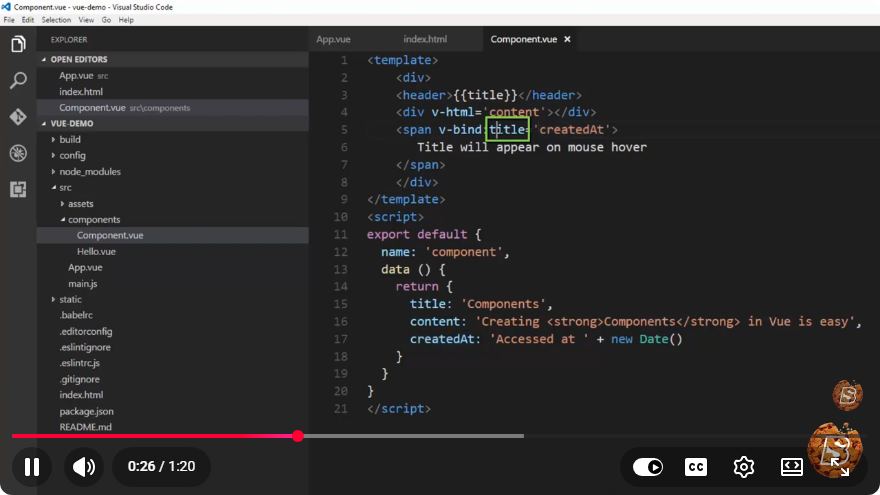
Vue.js 101: Dynamic Element Attribute Binding for Interactive Web Applications
In the world of modern web development, creating interactive and engaging applications is paramount. Vue.js, a progressive JavaScript framework, offers developers powerful features to build dynamic user interfaces efficiently. One of the essential features of Vue.js is its ability to bind HTML element attributes dynamically. In this post, we will explore how to leverage attribute binding to enhance interactivity in your Vue.js applications.
What is Dynamic Attribute Binding?
Dynamic attribute binding in Vue.js allows you to bind HTML attributes to Vue instance data properties. This means you can update attributes in real-time based on user interactions or any changes in the application state. This capability is crucial for creating responsive applications that adapt to user input seamlessly.
Getting Started with Vue.js
Before we dive into dynamic binding, ensure you have Vue.js set up in your project. You can include Vue.js via a CDN link or install it using npm if you're working with a build system.
Including Vue.js via CDN
For beginners, the simplest way to include Vue.js is through a CDN in your HTML file:
<!DOCTYPE html>
<html lang="en">
<head>
    <meta charset="UTF-8">
    <meta name="viewport" content="width=device-width, initial-scale=1.0">
    <title>Dynamic Attribute Binding with Vue.js</title>
    <script src="https://cdn.jsdelivr.net/npm/vue@2"></script>
</head>
<body>
    <div id="app">
        <!-- Vue.js application will go here -->
    </div>
</body>
</html>
Creating a Simple Example
Let’s create a simple example where we dynamically bind the href attribute of a link based on user input. The user will type in a URL, and the link will update accordingly.
Step 1: Set Up the HTML Structure
Inside the <div id="app">, we will create an input field for the user and a link that will dynamically update:
<div id="app">
    <input type="text" v-model="url" placeholder="Enter a URL" />
    <a :href="url" target="_blank">Visit Website</a>
</div>
Step 2: Initialize the Vue Instance
Next, we need to create a Vue instance and define the url data property.
new Vue({
    el: '#app',
    data: {
        url: ''
    }
});
Full Example Code
Here’s how the full code will look:
<!DOCTYPE html>
<html lang="en">
<head>
    <meta charset="UTF-8">
    <meta name="viewport" content="width=device-width, initial-scale=1.0">
    <title>Dynamic Attribute Binding with Vue.js</title>
    <script src="https://cdn.jsdelivr.net/npm/vue@2"></script>
</head>
<body>
    <div id="app">
        <input type="text" v-model="url" placeholder="Enter a URL" />
        <a :href="url" target="_blank">Visit Website</a>
    </div>

    <script>
        new Vue({
            el: '#app',
            data: {
                url: ''
            }
        });
    </script>
</body>
</html>
How It Works
Data Binding with v-model: The
v-modeldirective on the input element binds the input value to theurlproperty in the Vue instance. This means that whenever the user types in the input field, theurlproperty gets updated automatically.Dynamic Binding with v-bind: The
:hrefsyntax (shorthand forv-bind:href) is used to bind thehrefattribute of the anchor tag to theurlproperty. As theurlproperty changes, thehrefattribute of the link updates in real-time.Interactivity: Now, when a user types a URL in the input field, the link will change dynamically, allowing users to click on the updated link and navigate to the specified URL.
Conclusion
Dynamic attribute binding is a powerful feature in Vue.js that enhances the interactivity of web applications. By understanding and implementing this feature, you can create more responsive and user-friendly interfaces. As you continue your journey with Vue.js, explore more advanced features like computed properties, watchers, and custom directives to further enrich your applications.
If you found this tutorial helpful, feel free to share it with others who are looking to enhance their Vue.js skills! Happy coding!
Connect with SkillBakery Studios
Explore more tutorials, tools, and resources:
Posted by SkillBakery Studios


 Hello, my name is Jack Sparrow. I'm a 50 year old self-employed Pirate from the Caribbean.
No comments:
Post a Comment