
Vue.js 101 : Integrating HTML Content into Component-Based Web Development
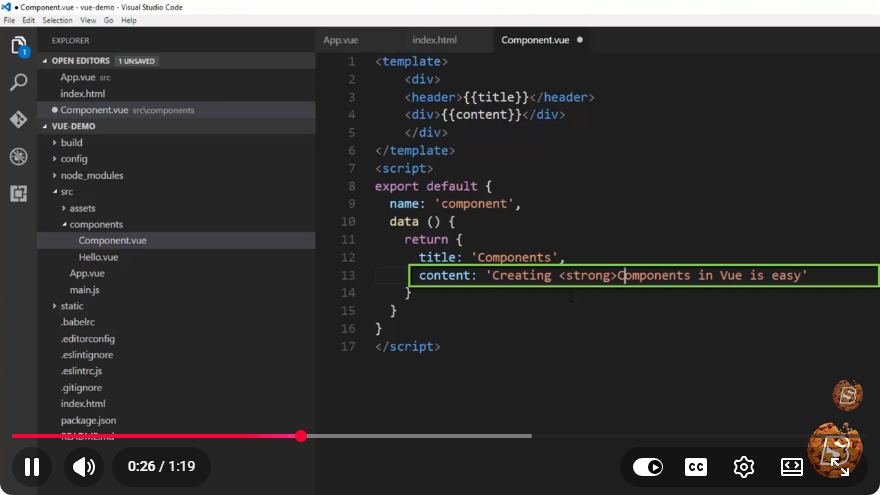
Vue.js 101: Integrating HTML Content into Component-Based Web Development
In the ever-evolving landscape of web development, Vue.js has emerged as a powerful framework that allows developers to build interactive, component-based applications with ease. This post will guide you through the basics of integrating HTML content into Vue.js components, focusing on practical applications.
What is Vue.js?
Vue.js is a progressive JavaScript framework used for building user interfaces. It is designed to be incrementally adaptable, making it suitable for both simple projects and complex applications. At the core of Vue.js is the concept of components, which encapsulate HTML, JavaScript, and CSS, promoting reusability and maintainability.
Understanding Components
Components are the building blocks of Vue.js applications. Each component represents a distinct unit of the user interface, which can be reused throughout the application. A typical Vue component consists of three main parts:
- Template: The HTML structure of the component.
- Script: The logic that controls the component's behavior.
- Style: The CSS that styles the component.
Basic Structure of a Vue Component
Here’s an example of a simple Vue component that displays a greeting message:
<template>
  <div>
    <h1>{{ greeting }}</h1>
  </div>
</template>

<script>
export default {
  data() {
    return {
      greeting: 'Hello, Vue.js!'
    };
  }
};
</script>

<style scoped>
h1 {
  color: blue;
}
</style>
In the above example:
- The
<template>section contains the HTML that will be rendered. - The
<script>section defines the data and logic of the component. - The
<style>section contains the CSS rules for the component, ensuring styles are scoped to this specific component.
Integrating HTML Content into Vue Components
Integrating HTML content into Vue components can be done in several ways. Here are a couple of common methods:
1. Static HTML Content
You can directly place static HTML content in the template section of your component. This method is straightforward and works well for static content that doesn't change.
<template>
  <div>
    <h2>About Vue.js</h2>
    <p>Vue.js is an open-source JavaScript framework for building user interfaces.</p>
  </div>
</template>
2. Dynamic HTML Content
For dynamic content, you can bind data to your HTML elements using Vue’s templating syntax. This allows you to display data that can change over time, such as user inputs or data fetched from an API.
<template>
  <div>
    <h2>{{ title }}</h2>
    <p>{{ description }}</p>
  </div>
</template>

<script>
export default {
  data() {
    return {
      title: 'Dynamic Content',
      description: 'This content is rendered dynamically using Vue.js!'
    };
  }
};
</script>
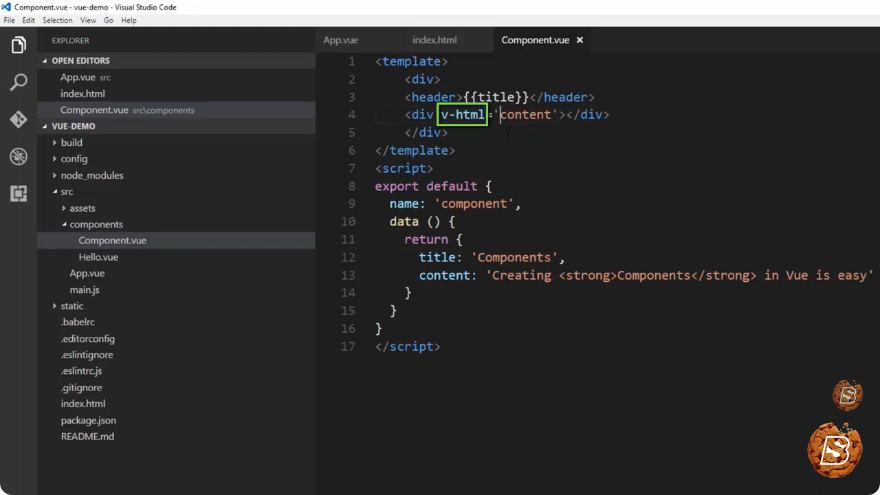
3. Using v-html Directive
If you need to render raw HTML content, Vue provides the v-html directive. This is useful for cases where you want to display HTML content that is stored in a variable.
<template>
  <div v-html="htmlContent"></div>
</template>

<script>
export default {
  data() {
    return {
      htmlContent: '<strong>This is bold text rendered from a string!</strong>'
    };
  }
};
</script>
Caution: Be careful when using v-html as it can expose your application to XSS (Cross-Site Scripting) attacks if you are rendering user-generated content without proper sanitization.
Conclusion
Vue.js provides a flexible and efficient way to integrate HTML content into your application through its component-based architecture. Whether you are working with static or dynamic content, Vue's templating system makes it simple to manage and render HTML effectively.
Remember to keep your components organized and maintainable as you build out your Vue applications. By mastering these fundamentals, you’ll be well on your way to creating powerful, interactive web applications using Vue.js.
For more in-depth learning, consider exploring the official Vue.js documentation and experimenting with your own projects. Happy coding!
Connect with SkillBakery Studios
Explore more tutorials, tools, and resources:
Posted by SkillBakery Studios


 Hello, my name is Jack Sparrow. I'm a 50 year old self-employed Pirate from the Caribbean.
No comments:
Post a Comment