
Vue.js 101 : Unlocking the Power of Dynamic Properties in Vue.js
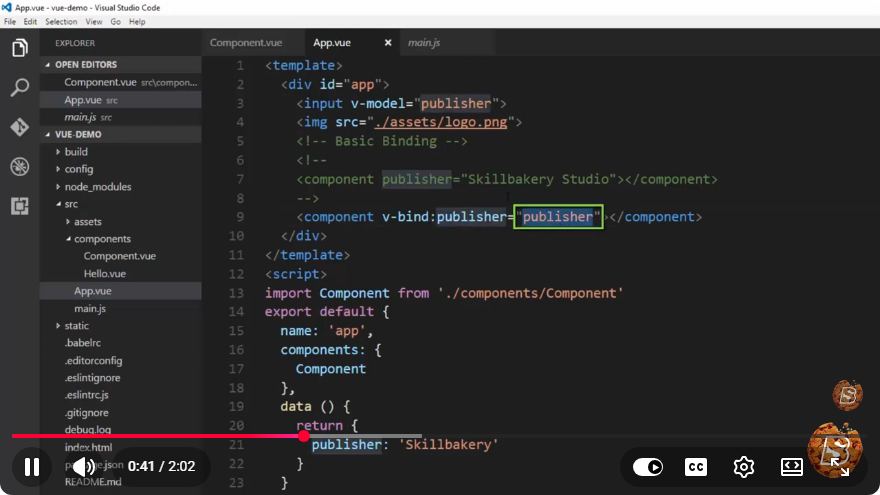
Vue.js 101: Unlocking the Power of Dynamic Properties
Vue.js has rapidly gained popularity among developers for its simplicity and flexibility. In this tutorial, we will explore the concept of dynamic properties in Vue.js, which allows you to create more responsive and adaptable applications. This guide is based on the YouTube video titled "Vue.js 101: Unlocking the Power of Dynamic Properties" and will provide a more in-depth understanding of this essential feature.
What are Dynamic Properties?
Dynamic properties in Vue.js refer to the ability to bind data to a component's properties dynamically. This means you can change the values of properties at runtime based on user interactions or other factors. This dynamic binding is a core feature of Vue.js and is fundamental for building reactive user interfaces.
Why Use Dynamic Properties?
Dynamic properties allow for increased flexibility in your applications. Here are a few reasons why you might want to use them:
Improved User Experience: By updating properties dynamically, you can enhance the interactivity of your application, providing immediate feedback to users.
Simplification of Code: Dynamic properties can reduce boilerplate code, making your components cleaner and easier to maintain.
Separation of Concerns: With dynamic properties, you can manage data and presentation separately, leading to better-structured code.
Basic Example of Dynamic Properties
Let’s start with a simple example to illustrate how dynamic properties work in Vue.js. We will create a basic Vue instance that demonstrates binding dynamic properties to HTML elements.
Setting Up the Vue Instance
First, ensure you have Vue.js included in your project. You can use a CDN link for testing purposes:
<!DOCTYPE html>
<html lang="en">
<head>
    <meta charset="UTF-8">
    <meta name="viewport" content="width=device-width, initial-scale=1.0">
    <title>Dynamic Properties in Vue.js</title>
    <script src="https://cdn.jsdelivr.net/npm/vue@2"></script>
</head>
<body>
    <div id="app">
        <h1 :style="{ color: textColor }">{{ message }}</h1>
        <input type="text" v-model="message" placeholder="Type a message">
        <input type="color" v-model="textColor">
    </div>

    <script>
        new Vue({
            el: '#app',
            data: {
                message: 'Hello, Vue.js!',
                textColor: '#000000'
            }
        });
    </script>
</body>
</html>
Explanation of the Example
HTML Structure: We have a
divwith an ID ofapp, which will serve as our Vue instance's root element. Inside it, we have anh1element and two input fields.Dynamic Binding:
- The
h1element uses:styleto bind thetextColorproperty dynamically. This means that whenevertextColorchanges, the color of the text displayed in theh1will update automatically. - The first input field uses
v-modelto bind its value to themessageproperty. Any changes in the input field will update themessagedynamically, reflecting the changes in theh1.
- The
Data Properties: The
dataobject contains our propertiesmessageandtextColor, which can be modified by the user.
Advanced Usage of Dynamic Properties
Dynamic properties can also be utilized in more complex scenarios, such as conditionally applying classes or managing lists of items. Here’s a brief example of how you can use dynamic properties for conditional class binding.
Conditional Class Binding Example
<div id="app">
    <button @click="toggleActive">Toggle Active</button>
    <p :class="{ active: isActive }">This is a dynamic class example.</p>
</div>

<script>
    new Vue({
        el: '#app',
        data: {
            isActive: false
        },
        methods: {
            toggleActive() {
                this.isActive = !this.isActive;
            }
        }
    });
</script>

<style>
.active {
    color: green;
    font-weight: bold;
}
</style>
Explanation of Conditional Class Binding
Button Click: We have a button that, when clicked, will toggle the
isActiveproperty.Dynamic Class Binding: The
pelement uses:classto apply theactiveclass conditionally based on the value ofisActive. IfisActiveis true, the class is applied, changing the text color to green and making it bold.Methods: The
toggleActivemethod toggles theisActiveproperty, demonstrating how user interaction can dynamically alter the state of the application.
Conclusion
Dynamic properties in Vue.js provide a powerful way to build interactive, responsive applications. By understanding how to use dynamic bindings, you can enhance user experiences and simplify your code structure. This tutorial has covered the basics and advanced usage of dynamic properties, laying a foundation for you to explore more complex Vue.js functionalities.
If you're interested in further exploring Vue.js, consider diving into topics such as Vue Router for navigation, Vuex for state management, and component lifecycle hooks for more advanced control over your applications.
Happy coding!
Connect with SkillBakery Studios
Explore more tutorials, tools, and resources:
Posted by SkillBakery Studios


 Hello, my name is Jack Sparrow. I'm a 50 year old self-employed Pirate from the Caribbean.
No comments:
Post a Comment