
Vue.js 101 : Understanding Literal and Dynamic Values in Vue.js
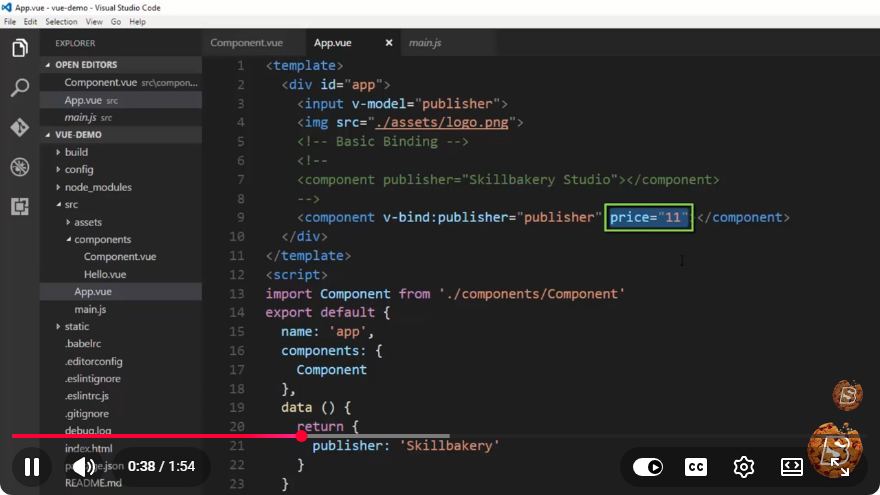
Vue.js 101: Understanding Literal and Dynamic Values
Vue.js is a progressive JavaScript framework that has gained immense popularity for building user interfaces and single-page applications. One of the core concepts in Vue.js is understanding how to work with both literal and dynamic values. This tutorial will delve into these two types of values, helping you grasp their significance and usage within Vue.js.
What Are Literal Values?
Literal values are fixed values that are directly represented in your code. They can be strings, numbers, booleans, or other primitive types. In Vue.js, literal values are often used in templates to render static content.
Examples of Literal Values
Here are some common types of literal values in Vue.js:
- String Literals: Text enclosed in quotes.
- Number Literals: Numeric values without quotes.
- Boolean Literals: The keywords
trueorfalse.
Code Example: Using Literal Values
<template>
  <div>
    <h1>{{ 'Welcome to Vue.js!' }}</h1>
    <p>{{ 42 }}</p>
    <p>{{ true }}</p>
  </div>
</template>
In the above example, we see how literal values are used within Vue templates. The string 'Welcome to Vue.js!', the number 42, and the boolean true are all rendered directly in the browser.
What Are Dynamic Values?
Dynamic values, on the other hand, are variables or expressions that can change over time. These values are often bound to the data model in Vue.js, allowing for real-time updates in the user interface when the underlying data changes.
Examples of Dynamic Values
Dynamic values can include:
- Data Properties: Variables defined in the Vue instance.
- Computed Properties: Properties defined using computed functions for derived state.
- Methods: Functions that return values based on user interaction or other logic.
Code Example: Using Dynamic Values
<template>
  <div>
    <h1>{{ message }}</h1>
    <p>{{ counter }}</p>
    <button @click="incrementCounter">Increment</button>
  </div>
</template>

<script>
export default {
  data() {
    return {
      message: 'Welcome to Vue.js!',
      counter: 0
    };
  },
  methods: {
    incrementCounter() {
      this.counter++;
    }
  }
};
</script>
In this example, message and counter are dynamic values. The value of counter changes each time the button is clicked, demonstrating how Vue.js can create interactive applications by binding the UI to data.
Combining Literal and Dynamic Values
One of the powerful features of Vue.js is the ability to combine literal and dynamic values seamlessly. This allows developers to create more complex templates that can react to user input and data changes.
Code Example: Combining Both Values
<template>
  <div>
    <h1>{{ 'Current Count: ' + counter }}</h1>
    <button @click="incrementCounter">Increment</button>
  </div>
</template>
In this example, we combine a string literal with the dynamic value counter to display a message that updates as the user clicks the button.
Conclusion
Understanding literal and dynamic values is fundamental to effectively using Vue.js. Literal values provide a way to display fixed content, while dynamic values enable interactivity and responsiveness in your applications. By mastering these concepts, you can create powerful user interfaces that are both engaging and efficient.
Feel free to explore more Vue.js documentation to deepen your understanding of these concepts and how they fit into larger application architectures. Happy coding!
Connect with SkillBakery Studios
Explore more tutorials, tools, and resources:
Posted by SkillBakery Studios


 Hello, my name is Jack Sparrow. I'm a 50 year old self-employed Pirate from the Caribbean.
No comments:
Post a Comment