
Web Development - PHP Advance : Custom Functions
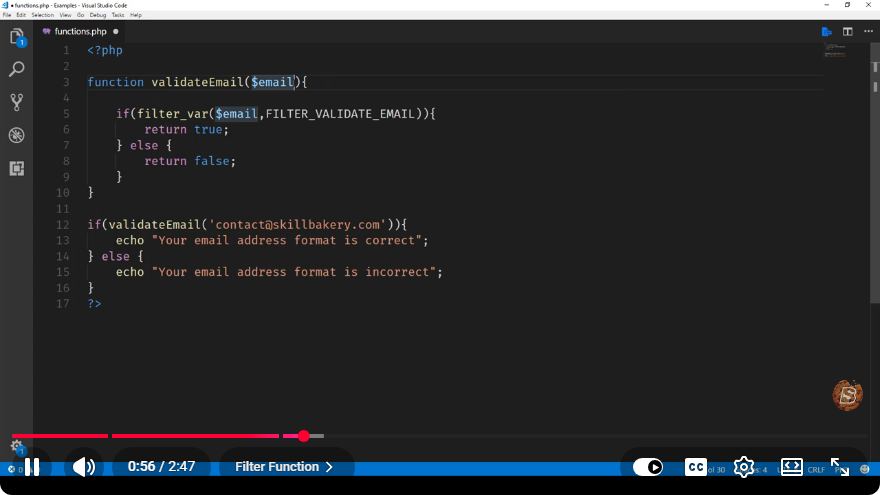
Mastering PHP Advanced: Custom Functions in Web Development
In the realm of web development, PHP remains a powerful and versatile programming language. It allows developers to create dynamic web applications efficiently. One of the key features that enhance the functionality and readability of PHP code is the use of custom functions. In this blog post, we will delve into creating and utilizing custom functions in PHP, leveraging insights from the video "Web Development - PHP Advance: Custom Functions."
What Are Custom Functions?
Custom functions are user-defined functions that allow developers to encapsulate reusable code blocks. By defining a function, you can execute the same piece of code multiple times throughout your application without redundancy. This contributes to cleaner, more maintainable code.
Benefits of Using Custom Functions
- Reusability: Functions can be called multiple times, reducing code duplication.
- Organization: Functions help to structure code logically, making it easier to read.
- Maintainability: Changes can be made in one location, reflecting wherever the function is called.
- Abstraction: Functions hide the complexity of the code, allowing developers to focus on higher-level logic.
How to Define a Custom Function
Creating a custom function in PHP is straightforward. Here’s a simple syntax:
function functionName($parameter1, $parameter2) {
    // Code to be executed
    return $result;
}
Example: Creating a Simple Function
Let’s create a basic function that adds two numbers and returns the result.
<?php
function addNumbers($num1, $num2) {
    return $num1 + $num2;
}

// Calling the function
$result = addNumbers(5, 10);
echo "The sum is: " . $result; // Outputs: The sum is: 15
?>
In this example, we've defined a function named addNumbers that takes two parameters, $num1 and $num2, adds them together, and returns the result. We then call this function and display the result.
Function Parameters and Return Values
Parameters
Functions can accept inputs through parameters, which can be defined when the function is declared. You can specify as many parameters as needed, but remember to follow the order in which they are declared.
Return Values
Functions can return values using the return keyword. If no return statement is provided, the function will return NULL by default.
Custom Function with Default Parameters
PHP allows you to define default values for function parameters. This means that if the caller does not provide an argument for a parameter, the default value will be used.
Example: Function with Default Parameter
<?php
function greet($name = "Guest") {
    return "Hello, " . $name . "!";
}

// Calling the function with and without parameter
echo greet(); // Outputs: Hello, Guest!
echo greet("Alice"); // Outputs: Hello, Alice!
?>
In this example, the greet function has a default parameter value of "Guest." If no name is provided, it defaults to this value.
Variable Scope in Functions
Variable scope determines where a variable can be accessed. Variables defined inside a function are not available outside of it unless declared as global.
Example: Variable Scope
<?php
function testScope() {
    $localVar = "I'm local to this function.";
    return $localVar;
}

echo testScope(); // Outputs: I'm local to this function.
// echo $localVar; // This would cause an error because $localVar is not defined in this scope.
?>
In this example, $localVar is defined within the testScope function and cannot be accessed outside of it.
Conclusion
Custom functions are an essential aspect of PHP programming that enhance code organization, reusability, and maintainability. By understanding how to create and use custom functions, developers can write cleaner code and improve the overall quality of their web applications.
As you continue your journey in PHP web development, remember to leverage the power of custom functions to simplify your code and boost productivity. Happy coding!
Connect with SkillBakery Studios
Explore more tutorials, tools, and resources:
Posted by SkillBakery Studios


 Hello, my name is Jack Sparrow. I'm a 50 year old self-employed Pirate from the Caribbean.
No comments:
Post a Comment