
Web Development : PHP Basics - Array Functions
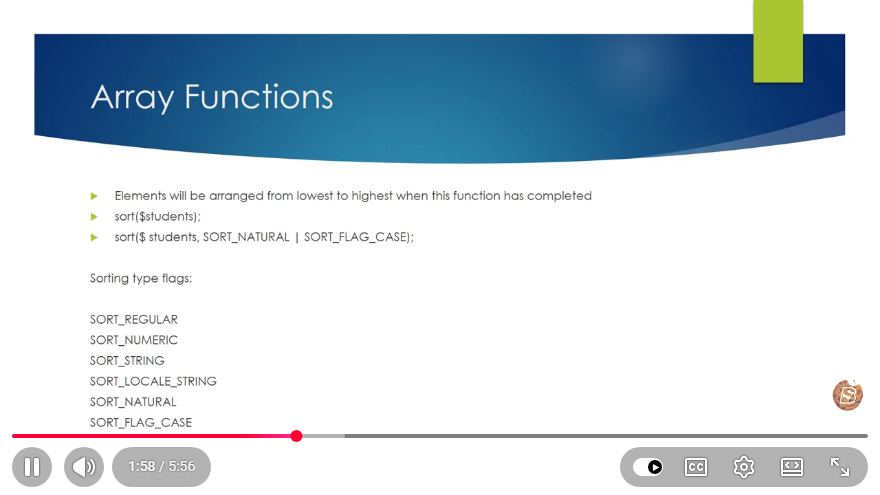
Understanding PHP Array Functions: A Beginner's Guide
In the world of web development, PHP remains a foundational language, particularly when dealing with arrays. Arrays are essential for storing multiple values in a single variable, which is critical for organizing data efficiently. In this blog post, we will explore the fundamental array functions in PHP that can help you manipulate and manage arrays effectively.
What is an Array in PHP?
An array in PHP is a data structure that can hold multiple values under a single variable name. The values can be of various types, including strings, integers, and even other arrays. PHP supports both indexed and associative arrays:
- Indexed Arrays: Arrays with numeric keys.
- Associative Arrays: Arrays that use named keys.
Creating an Array
You can create an array in PHP using the array() function or by using the shorthand [] notation. Here’s how to do it:
// Indexed Array
$fruits = array("Apple", "Banana", "Cherry");

// Associative Array
$person = [
    "name" => "John",
    "age" => 30,
    "gender" => "male"
];
Common PHP Array Functions
PHP provides a plethora of array functions that simplify the manipulation of arrays. Below, we will discuss some of the most commonly used functions.
1. count()
The count() function returns the number of elements in an array. This is particularly useful for checking if an array is empty or for iterating through it.
$fruits = array("Apple", "Banana", "Cherry");
echo count($fruits); // Output: 3
2. array_merge()
The array_merge() function merges one or more arrays into one. This is handy when you want to combine data from multiple sources.
$array1 = array("A" => "Apple", "B" => "Banana");
$array2 = array("C" => "Cherry", "D" => "Date");
$result = array_merge($array1, $array2);

print_r($result);
// Output: Array ( [A] => Apple [B] => Banana [C] => Cherry [D] => Date )
3. array_push()
The array_push() function adds one or more elements to the end of an array. This is useful for dynamically building arrays.
$fruits = array("Apple", "Banana");
array_push($fruits, "Cherry", "Date");

print_r($fruits);
// Output: Array ( [0] => Apple [1] => Banana [2] => Cherry [3] => Date )
4. array_pop()
Conversely, array_pop() removes the last element from an array and returns it. This can be useful when you need to manage a stack-like structure.
$fruits = array("Apple", "Banana", "Cherry");
$lastFruit = array_pop($fruits);

echo $lastFruit; // Output: Cherry
print_r($fruits);
// Output: Array ( [0] => Apple [1] => Banana )
5. array_slice()
The array_slice() function extracts a portion of an array and returns it as a new array. This is useful for paginating data or splitting large datasets.
$fruits = array("Apple", "Banana", "Cherry", "Date", "Elderberry");
$slicedFruits = array_slice($fruits, 1, 3);

print_r($slicedFruits);
// Output: Array ( [0] => Banana [1] => Cherry [2] => Date )
Conclusion
Understanding these basic array functions in PHP will set a solid foundation for your web development journey. Arrays are integral to managing data efficiently, and mastering these functions will enable you to manipulate data with ease.
As you continue to learn, explore more advanced functions and techniques to enhance your PHP skills. Happy coding!
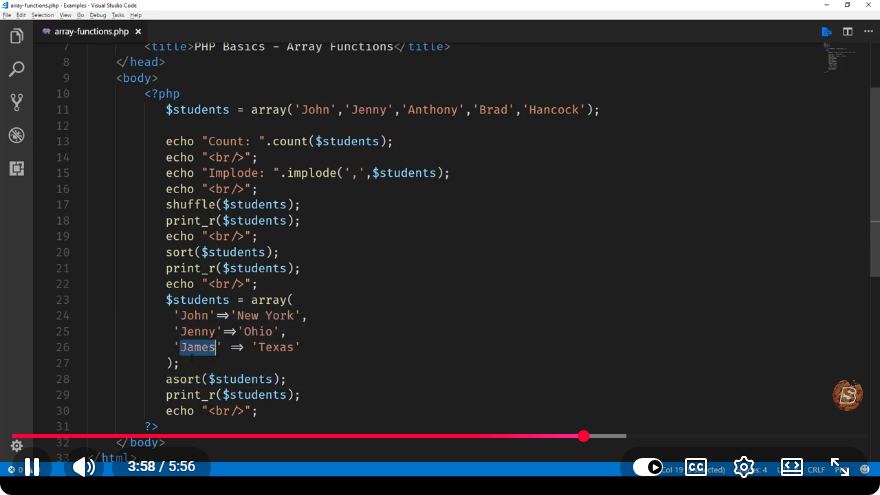
For a more visual and detailed tutorial, check out the YouTube video on PHP Array Functions here.
Connect with SkillBakery Studios
Explore more tutorials, tools, and resources:
Posted by SkillBakery Studios


 Hello, my name is Jack Sparrow. I'm a 50 year old self-employed Pirate from the Caribbean.
No comments:
Post a Comment