
Web Development - PHP Basics : Conditional Statements
Understanding PHP Basics: Conditional Statements
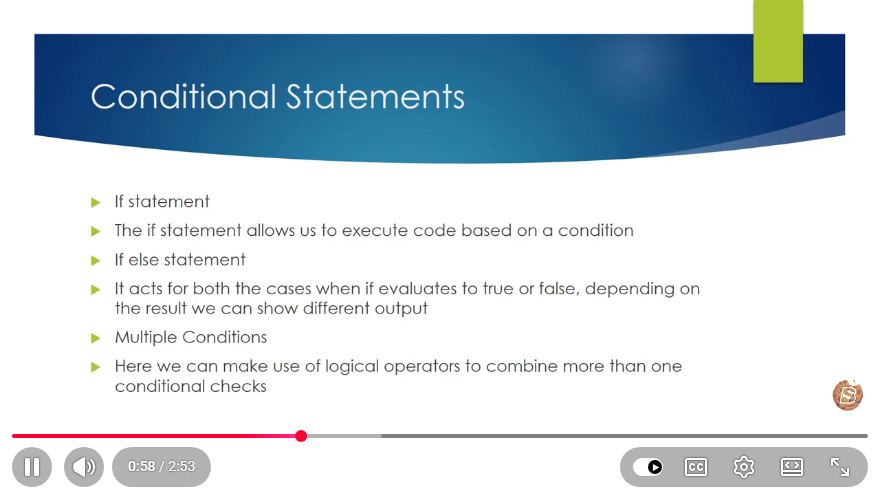
Conditional statements are foundational elements in programming that allow developers to execute different blocks of code based on specific conditions. In this blog post, we will dive into the essentials of conditional statements in PHP, based on the insights from the video "Web Development - PHP Basics: Conditional Statements."
What are Conditional Statements?
Conditional statements are constructs that enable you to create branching logic in your code. They evaluate whether a condition is true or false and execute the corresponding code block. In PHP, the most common conditional statements are if, else, and else if.
Basic Structure of Conditional Statements
The basic structure of an if statement in PHP looks like this:
if (condition) {
    // code to execute if condition is true
}
The if Statement
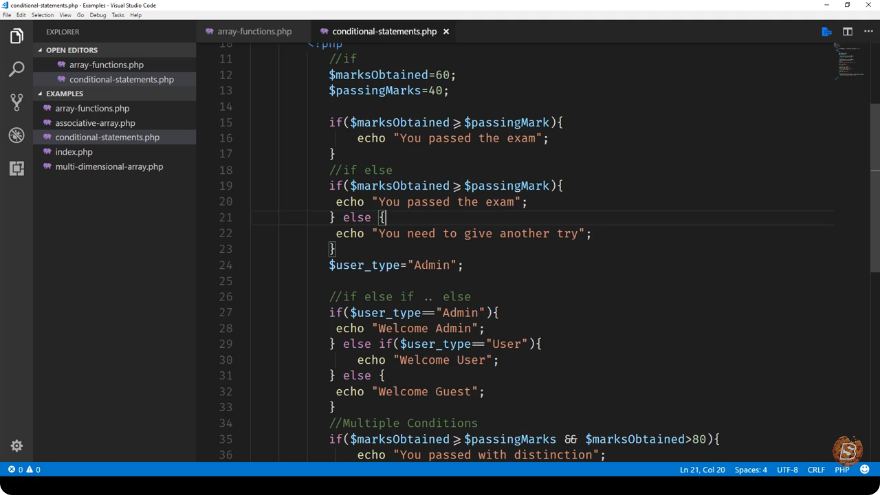
The if statement evaluates a condition. If it evaluates to true, the code block within the curly braces executes. Here is a simple example:
$age = 18;

if ($age >= 18) {
    echo "You are an adult.";
}
In this example, if the variable $age is 18 or greater, the message "You are an adult." will be displayed.
The else Statement
An else statement can be used to provide an alternative block of code that will execute if the if condition is false:
$age = 16;

if ($age >= 18) {
    echo "You are an adult.";
} else {
    echo "You are not an adult.";
}
In this case, since $age is less than 18, the output will be "You are not an adult."
The else if Statement
If you have multiple conditions to check, you can use else if. This allows you to check additional conditions if the previous ones are false:
$age = 20;

if ($age < 13) {
    echo "You are a child.";
} else if ($age < 20) {
    echo "You are a teenager.";
} else {
    echo "You are an adult.";
}
Here, the output will be "You are an adult." since $age is 20.
Comparison Operators
To create effective conditional statements, you often use comparison operators. Here are some commonly used operators in PHP:
==: Equal to!=: Not equal to>: Greater than<: Less than>=: Greater than or equal to<=: Less than or equal to
Example Using Comparison Operators
Here’s a complete example using various comparison operators:
$score = 85;

if ($score >= 90) {
    echo "Grade: A";
} elseif ($score >= 80) {
    echo "Grade: B";
} elseif ($score >= 70) {
    echo "Grade: C";
} else {
    echo "Grade: F";
}
In this example, if $score is 85, the output will be "Grade: B".
Logical Operators
In PHP, you can also combine conditions using logical operators:
&&: AND||: OR!: NOT
Example Using Logical Operators
$age = 25;
$hasLicense = true;

if ($age >= 18 && $hasLicense) {
    echo "You can drive.";
} else {
    echo "You cannot drive.";
}
In this example, both conditions must be true for the output to be "You can drive."
Conclusion
Conditional statements are a vital part of any programming language, including PHP. They allow developers to create dynamic applications that respond to user input and other conditions. By mastering if, else, and else if statements, along with comparison and logical operators, you can control the flow of your PHP scripts effectively.
For more in-depth learning, consider exploring additional resources or practicing with different examples to solidify your understanding of conditional statements in PHP. Happy coding!
Connect with SkillBakery Studios
Explore more tutorials, tools, and resources:
Posted by SkillBakery Studios


 Hello, my name is Jack Sparrow. I'm a 50 year old self-employed Pirate from the Caribbean.
No comments:
Post a Comment