
Lecture-2: Hugging Face.js Inference API Tutorial | Run AI Models in JavaScript Like a Pro
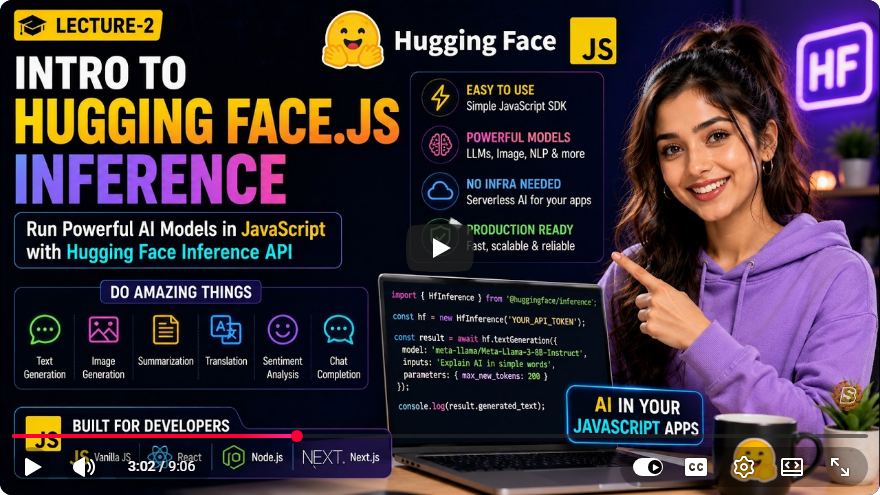
Running AI Models in JavaScript with Hugging Face.js Inference API: A Step-by-Step Guide
In the ever-evolving landscape of artificial intelligence (AI), developers often face the challenge of integrating powerful AI models into their applications without the hassle of managing complex infrastructure. Fortunately, Hugging Face.js provides a straightforward solution for running state-of-the-art AI models directly from JavaScript. In this tutorial, we’ll explore how to utilize the Hugging Face.js Inference API to enhance your web applications with AI capabilities.
What is Hugging Face.js?
Hugging Face.js is a JavaScript library that allows developers to access a wide range of pre-trained AI models for various tasks such as natural language processing (NLP), computer vision, and more. The library simplifies the process of integrating these models into web applications, enabling developers to harness the power of AI with minimal effort.
Getting Started
Before diving into the code, ensure you have the following prerequisites:
- A basic understanding of JavaScript and web development.
- Node.js and npm (Node Package Manager) installed on your machine.
- Access to the Hugging Face models you want to use.
Step 1: Setting Up Your Project
Create a New Project Folder: Create a folder for your project and navigate into it.
mkdir hugging-face-js-tutorial
cd hugging-face-js-tutorial
Initialize a New Node.js Project: Run the following command to create a new
package.jsonfile:npm init -yInstall Hugging Face.js: Install the Hugging Face.js library as a dependency in your project.
npm install @huggingface/inference
Step 2: Using the Inference API
Now that your project is set up, let’s write some code to utilize the Hugging Face Inference API.
Create an
index.jsFile: In your project folder, create a new file namedindex.js.touch index.jsImport the Hugging Face Inference Library: Open
index.jsand import the necessary classes from the Hugging Face library.const { HfInference } = require('@huggingface/inference');Initialize the Inference API: You’ll need to initialize the
HfInferenceobject with your Hugging Face API key. You can obtain an API key by signing up on the Hugging Face website.const hf = new HfInference('YOUR_HUGGING_FACE_API_KEY');Call an AI Model: Let’s use a text generation model as an example. You can replace
gpt2with any other available model you wish to use.async function generateText(prompt) { const response = await hf.textGeneration({ model: 'gpt2', inputs: prompt, options: { use_cache: false }, }); console.log(response); } generateText("Once upon a time in a land far away,");
Step 3: Running the Code
To execute your code, use the following command in your terminal:
node index.js
If everything is set up correctly, you will see the AI-generated text output in your terminal.
Enhancing Your Application
Now that you’ve successfully integrated an AI model into your JavaScript application, consider the following enhancements:
- Create a Frontend Interface: Use HTML and CSS to build a user-friendly interface where users can input prompts and view generated outputs.
- Explore Other Models: Hugging Face offers a variety of models for different tasks such as translation, sentiment analysis, and image classification. Experiment with different models to find the best fit for your application.
- Error Handling: Implement error handling to manage potential issues such as network errors or invalid API keys gracefully.
Conclusion
Integrating AI models into your JavaScript applications has never been easier, thanks to Hugging Face.js. By following this tutorial, you’ve learned how to set up the Hugging Face Inference API, run a text generation model, and explore further enhancements for your application.
Harness the power of AI with a few lines of code and take your web applications to the next level. Happy coding!
Further Resources
By leveraging Hugging Face.js, developers can effortlessly incorporate AI into their applications, making cutting-edge technology accessible to all.
Connect with SkillBakery Studios
Explore more tutorials, tools, and resources:
Posted by SkillBakery Studios


 Hello, my name is Jack Sparrow. I'm a 50 year old self-employed Pirate from the Caribbean.
No comments:
Post a Comment