
Lecture-3:Getting Started with Hugging Face Inference Models | Run Open-Source AI Models in Minutes
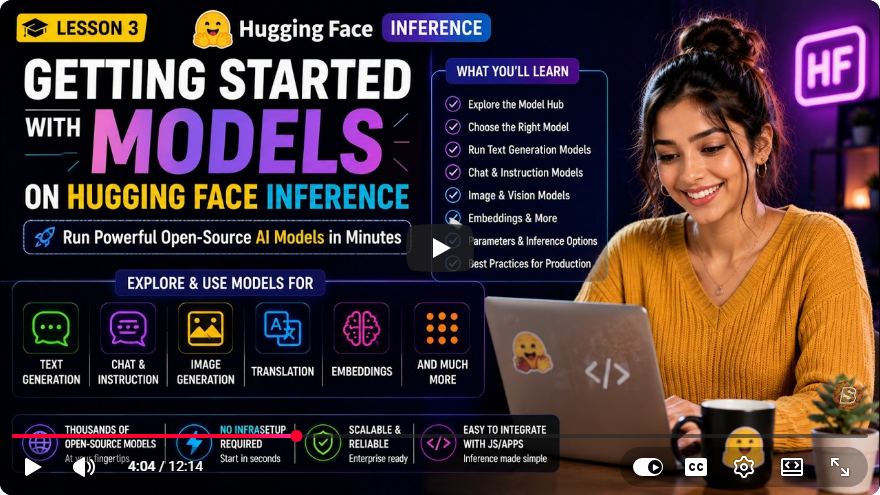
Getting Started with Hugging Face Inference Models: A Comprehensive Guide
In recent years, Hugging Face has emerged as a leading platform in the realm of artificial intelligence, particularly for natural language processing (NLP) and computer vision tasks. With an extensive collection of open-source AI models, Hugging Face simplifies the process of deploying and utilizing powerful AI technologies without the need for intricate infrastructure or GPU management. In this blog post, we will guide you through the steps to discover, select, and run various AI models using Hugging Face's Inference API.
What is Hugging Face?
Hugging Face is a company specializing in AI and machine learning, particularly in NLP. Their platform hosts a wide array of models trained on diverse datasets that can be used for various tasks, including text generation, translation, summarization, and image generation. The best part? You can access these models through a simple API, making it incredibly easy for developers and researchers to integrate advanced AI capabilities into their applications.
Getting Started with Hugging Face Inference
Step 1: Create an Account
To begin using Hugging Face's Inference API, you'll need to create a free account. Follow these steps:
- Go to the Hugging Face website.
- Click on the "Sign up" button and fill out the required information.
- Verify your email address to activate your account.
Step 2: Explore Available Models
Once you have your account set up, you can start exploring the vast collection of models available on Hugging Face. Here’s how to find models suited to your needs:
- Navigate to the Models page.
- Use the search bar to look for specific tasks (e.g., "text generation," "translation," etc.).
- Filter results based on the model type, language, and more to find the perfect fit.
Step 3: Selecting a Model
After browsing through the available models, select one that meets your requirements. For example, if you're interested in text generation, you might choose the GPT-3 or GPT-2 model. Click on the model to view its details, including usage examples, documentation, and model card.
Step 4: Running the Model
With your model chosen, it’s time to run it. Hugging Face provides a simple interface for inference. Here’s how to do it:
Using the Inference API
You can run the model directly through the Hugging Face Inference API with just a few lines of code. Below is a Python example showcasing how to generate text using a selected model:
import requests

API_URL = "https://api-inference.huggingface.co/models/gpt2"
headers = {"Authorization": f"Bearer YOUR_HUGGING_FACE_API_TOKEN"}

data = {
    "inputs": "Once upon a time",
}

response = requests.post(API_URL, headers=headers, json=data)
output = response.json()

print(output)
Step 5: Customizing Your Requests
You can customize your inference requests by modifying the input parameters. For instance, you can change the length of generated text or adjust the temperature for more creative output. Here’s an example of how to do that:
data = {
    "inputs": "Once upon a time",
    "parameters": {
        "max_length": 50,
        "temperature": 0.7,
    },
}

response = requests.post(API_URL, headers=headers, json=data)
output = response.json()

print(output)
Step 6: Experimenting with Other Tasks
In addition to text generation, Hugging Face models can handle a variety of tasks. Here are some common applications you can explore:
- Translation: Use models like
Helsinki-NLP/opus-mt-en-frfor English to French translation. - Summarization: Try models such as
facebook/bart-large-cnnfor summarizing articles or papers. - Image Generation: Explore models like
CompVis/stable-diffusion-v1-4for generating images from textual descriptions.
Conclusion
The Hugging Face Inference API opens doors to a world of powerful AI capabilities, enabling developers and researchers to implement advanced models in a matter of minutes. By following the steps outlined in this guide, you can easily discover, select, and run various open-source AI models without the complexity of managing infrastructure.
Whether you're looking to enhance your applications with text generation, translation, or image processing, Hugging Face provides the tools you need to get started. So why wait? Dive into the world of AI today and unleash the potential of Hugging Face models!
For more in-depth learning, consider checking out Hugging Face’s documentation for additional resources and advanced functionalities. Happy coding!
Connect with SkillBakery Studios
Explore more tutorials, tools, and resources:
Posted by SkillBakery Studios


 Hello, my name is Jack Sparrow. I'm a 50 year old self-employed Pirate from the Caribbean.
No comments:
Post a Comment