
MoonJs V1 Beta - Exploring Storage Driver
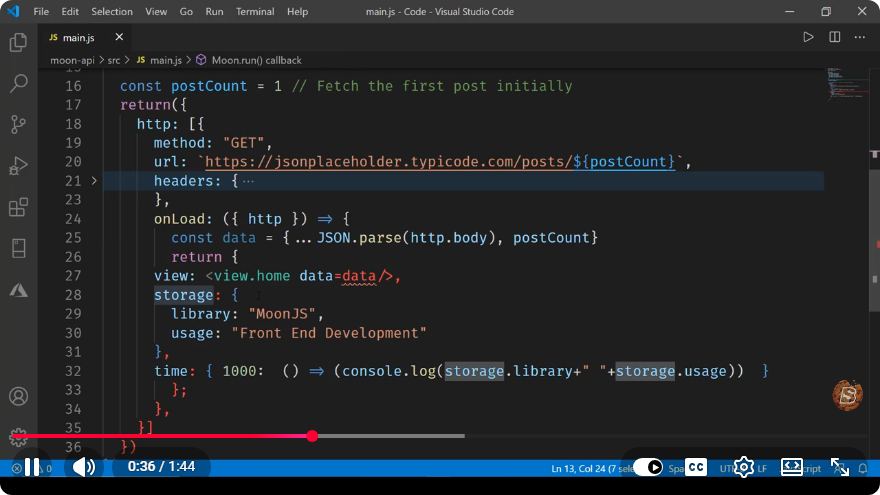
Exploring MoonJs V1 Beta: A Deep Dive into the Storage Driver
In the ever-evolving landscape of web development, tools and frameworks are constantly being introduced to enhance productivity and functionality. One such tool is MoonJs, a lightweight JavaScript framework that aims to simplify the process of building web applications. In this blog post, we will explore the newly introduced Storage Driver feature in MoonJs V1 Beta, as discussed in the recent YouTube video titled "MoonJs V1 Beta - Exploring Storage Driver."
What is MoonJs?
MoonJs is an innovative framework designed for developers looking to create dynamic, interactive web applications with minimal overhead. Its primary focus is on simplicity and performance, making it an excellent choice for both beginners and seasoned developers.
Key Features of MoonJs
- Lightweight: MoonJs is designed to be small, ensuring quick load times and efficient performance.
- Reactive Data Binding: It allows for seamless synchronization between the UI and the underlying data model.
- Component-Based Architecture: Build applications using reusable components to promote better organization and maintainability.
Understanding the Storage Driver
The Storage Driver in MoonJs is a powerful feature that enables developers to store and retrieve data easily. This functionality is pivotal for applications that require persistent data management, such as user preferences or application state.
Why Use a Storage Driver?
Using a Storage Driver offers several advantages:
- Data Persistence: Store data that can survive page reloads.
- Performance Optimization: Reduce network requests by storing frequently accessed data locally.
- Ease of Use: Simplifies data management through a unified API.
Getting Started with the Storage Driver
Installation
To begin using the Storage Driver, ensure that you have MoonJs installed in your project. You can do this by running:
npm install moonjs
Basic Usage
To utilize the Storage Driver, you need to import the necessary components from MoonJs. Here’s a simple example of how to set up the Storage Driver:
import { createApp } from 'moonjs';
import { StorageDriver } from 'moonjs/drivers';

const app = createApp({
    data() {
        return {
            items: []
        };
    },
    mounted() {
        // Initialize Storage Driver
        this.$storage = new StorageDriver();

        // Load items from storage
        this.items = this.$storage.get('items') || [];
    },
    methods: {
        addItem(item) {
            this.items.push(item);
            // Persist the items
            this.$storage.set('items', this.items);
        }
    }
});

app.mount('#app');
Explanation of the Code
- Importing Components: We begin by importing the necessary functions from MoonJs.
- Creating the App: The
createAppfunction initializes the application with a data object containing anitemsarray. - Mounting the Storage Driver: In the
mounted()lifecycle hook, we create an instance of theStorageDriver. - Loading Data: We retrieve existing items from storage when the application mounts.
- Adding Items: The
addItemmethod allows users to add new items, which are then stored persistently.
Advanced Features of the Storage Driver
The Storage Driver in MoonJs also supports advanced features, such as:
- Data Expiry: Automatically remove expired data from storage.
- Event Listeners: Listen for changes in the stored data and react accordingly.
Example of Data Expiry
Here’s a brief example of how to implement data expiry in your application:
this.$storage.set('items', this.items, { expires: Date.now() + 3600000 }); // Expires in 1 hour
Conclusion
The Storage Driver is a powerful addition to the MoonJs framework, offering developers an efficient way to manage data persistence in their applications. With its straightforward API and robust features, it significantly simplifies the complexity of data handling. As you explore MoonJs V1 Beta, leveraging the Storage Driver will enhance your application's performance and user experience.
For more insights and updates on MoonJs, be sure to check out the official documentation and community tutorials. Happy coding!
Connect with SkillBakery Studios
Explore more tutorials, tools, and resources:
Posted by SkillBakery Studios


 Hello, my name is Jack Sparrow. I'm a 50 year old self-employed Pirate from the Caribbean.
No comments:
Post a Comment